What you can do with SkyDial
Everything below is already in the app today.
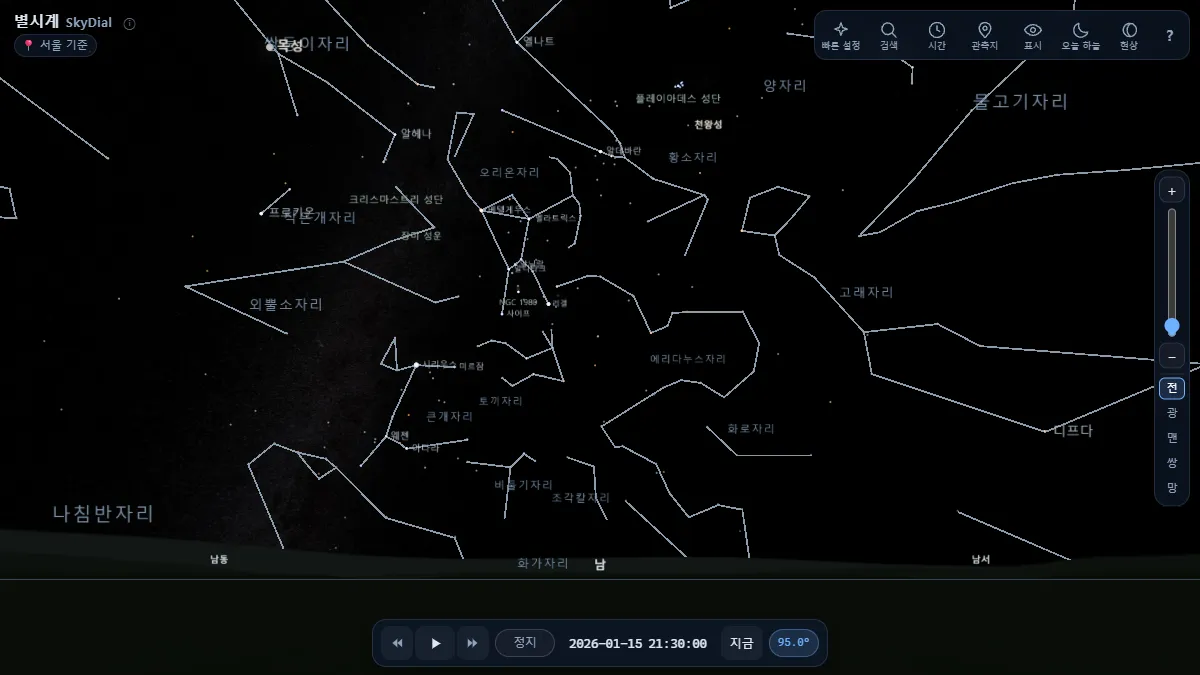
Stars drawn from a real catalogue
About 26,000 stars load by default, and an extension pack takes that up to roughly 300,000 if you want to see fainter ones too. Each star keeps its real brightness and color index, so cooler stars render red and hotter ones blue — the same colors you'd see with your own eyes. Catalogue proper motions are applied, so every star sits where it actually is today.
The sky your phone points at — gyro sky view
Point your phone at the sky and that exact patch appears on screen. When you're outside wondering "what's that bright star," just lift your phone and aim it. If magnetic declination or sensor drift throws the heading off, you can correct it by hand in settings.
Only as much as you'd actually see — three sky conditions
Choose from City, Suburbs, or Dark sky. Pick City's heavy light pollution and only the brightest stars remain; pick Dark sky and even the Milky Way comes alive. Suburbs is the default. A screen crowded with every star looks pretty, but it doesn't match the sky you'd actually see outside — this setting exists to close that gap.
Compare daily trails, and star trails for the whole sky
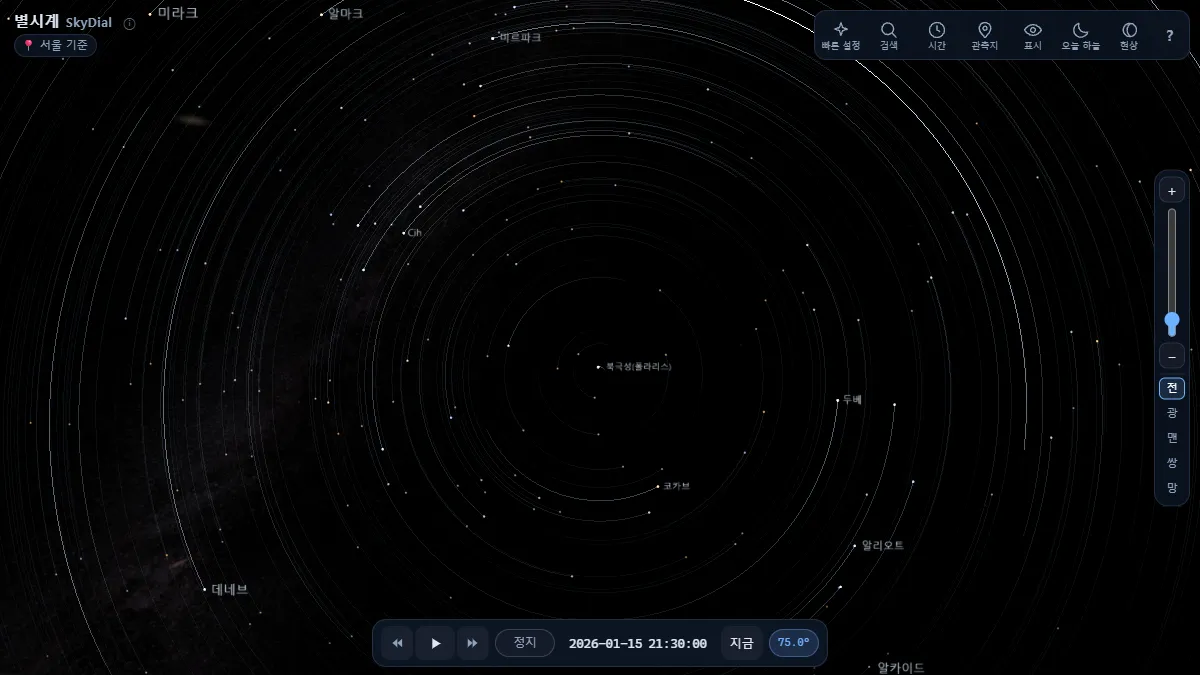
Pick one object and trace the path it draws across the sky over a night, or overlay up to four objects at once, each in its own color. Tick marks land on the hour, so you can read at a glance where an object sits at any given time. Turn on Star trails and every star on screen draws the arc it traced over the last few hours too, turning the view into something like a long-exposure photograph.
Meteor shower, eclipse, and ISS pass forecasts
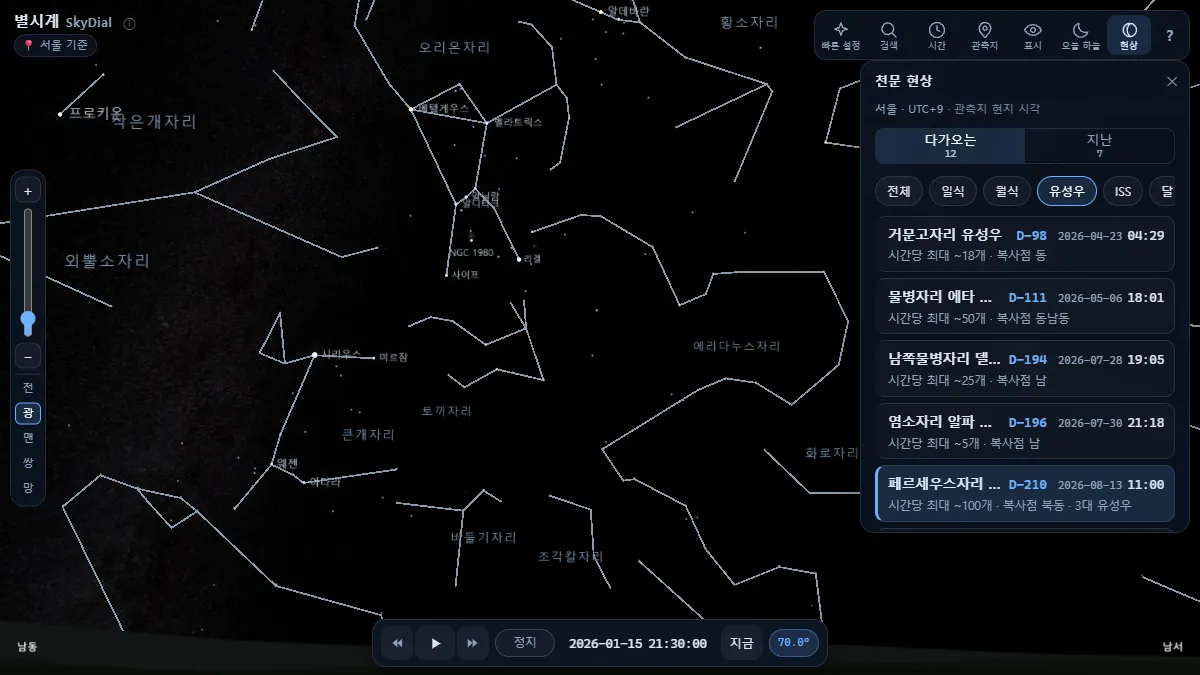
See upcoming sky events as a list for your location. All 12 meteor showers come with peak times, expected rates per hour, and radiant direction; solar and lunar eclipses show both how they'll look from your specific spot and how they play out worldwide. Forecasts also include when the International Space Station (ISS) will pass overhead.
999 deep-sky objects, with real photos
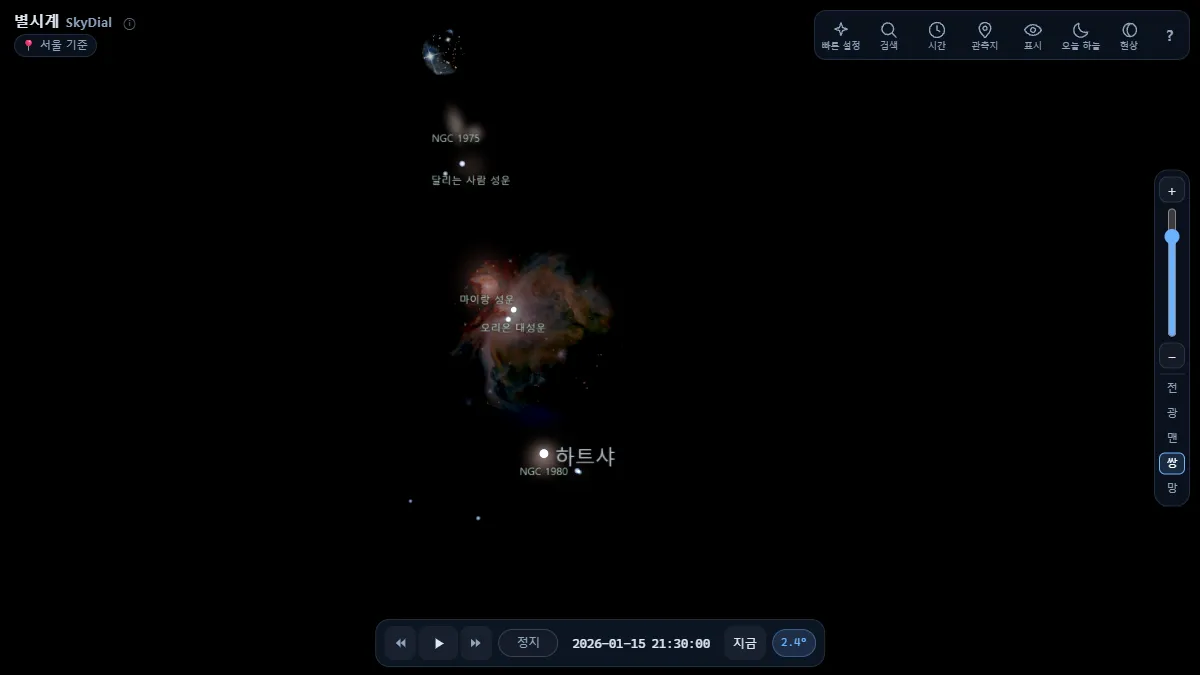
SkyDial carries 999 nebulae, clusters, and galaxies, and 895 of them render as real observed photographs laid over their actual place in the sky. Zoom in and an object like the Orion Nebula stops being a dot and unfolds into a photo.
Night mode (red)
A bright white screen in the dark breaks your eyes' dark adaptation, and it takes a while for the stars to reappear. Night mode turns both the sky and the controls red, so checking your phone mid-session costs your eyes much less.
Korean, English, and French
Pick the interface language and the language used for object names separately. You could, for example, keep the interface in English while showing star names in French.
No install — and it still works offline
It opens straight in your browser, and you can install it to your home screen like a native app if you'd like. Once you've opened it once, the core sky still renders with no network at all — since observing sites are usually where signal is weak, that matters.
Using it in class
SkyDial was built to let you move, on screen, the things that are hard to explain in words in an earth science class.
Daily motion is a one-screen demo: turn on Star trails and point north. The concentric arcs around Polaris appear immediately, so you can ask "why does only Polaris stay still" without drawing a single diagram. Point south instead and the arcs flatten into gentle curves — the same rotation looks different depending on which way you're facing, and that follow-up question is right there too.
Seasonal constellations just need time wound forward a year at a time. Hold the same hour and the same direction and move only the date, and the evening sky's constellations cycle through in order — it becomes obvious on screen that a season's constellations are the ones sitting opposite the Sun.
Coordinate systems are easiest to compare by overlaying both grids. Turn on the RA/Dec grid and the Azimuth/altitude grid together, show their tick numbers, then let time run — you'll see the equatorial grid turn together with the stars while the horizontal grid stays fixed to the observer. Turn off the ground and objects below the horizon keep rendering too, so you can follow how a star circles even while it's under the horizon, without any break in the picture.
A view you set up shares as a single link. Since the location, time, and viewing direction all live in the address, a teacher's prepared sky opens exactly the same way on every student's own device.
Frequently asked questions
- Do I need to sign up?
-
No. There's no account and no sign-in screen. Open the address and the sky appears right away. Your location coordinates stay on your device and are never sent anywhere.
- Is it free?
-
Every feature is free. No payment, no ads.
- Does it work without an internet connection?
-
Yes. Once you've connected once, the core star data stays on your device, so the sky still renders with no network. Data that's fetched on demand — deep-sky photos and the magnitude-10 extension pack — does need a connection, though.
- Is there an Android app?
-
Choose "Add to Home Screen" in your browser and it installs like a native app, running full screen. iPhone and Android both work the same way.
- Where do the star and object data come from?
-
All from open astronomical data. Star positions and brightness come from a catalogue built on Hipparcos observations, and the deep-sky list comes from OpenNGC. The Milky Way panorama is from ESO, and Moon and planet surface data comes from NASA's public releases. Full sources and licenses for every item are listed under "Data sources" inside the app.
Open it now
Trying it takes less time than reading about it. Allow location access and the sky right where you are appears; decline it and you can still pick a spot on the world map to see that sky instead.
- Stars — about 26,000 by default, about 300,000 with the extension pack
- Constellations — 88 sets of lines and names, plus IAU boundaries
- Deep sky — 999 objects, 895 with real photos
- Forecasts — 12 meteor showers, solar/lunar eclipses, ISS passes
- Languages — Korean, English, French